In the browser: open the Playground, choose Load your own .wasm… (or drop kriechstrom.wasm
onto the device), press PLAY. In a DAW: drop kriechstrom.zip onto the VIBE FM VST window. It starts with a
choice: where you left it, the demo song, or an empty project.
The display wears with the sound
The mark of the creepage current grows behind every page as far as DAMAGE and WALL have worn the mix; the picture tears on the hits and grains with HISS. On every drum hit a discharge grows behind the page, shaped by the hit and the master (MENU > DISPLAY switches it off). Every effect and every pedal has a picture of its own of what it does: DAMAGE a tape bitten full of holes, WALL bricks laid, RESONATE four strings ringing, each pedal what it does to a wave. MENU > DISPLAY sets how much the screen wears: OFF, LOW (as here) or FULL.
The same moment: four tracks as they start, DAMAGE, CHAR, HISS and WALL turned up.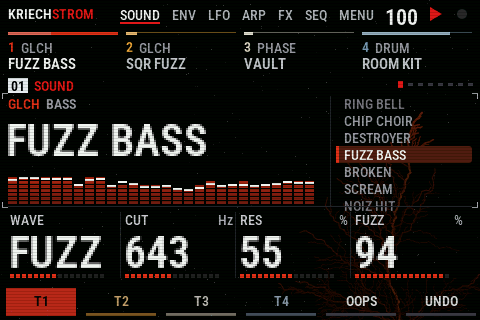
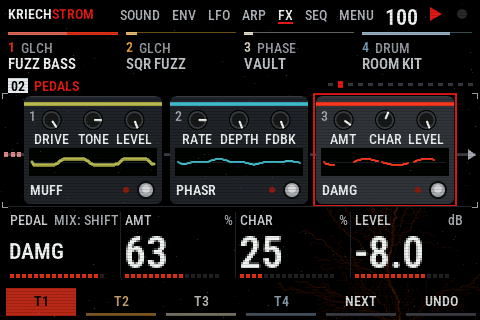
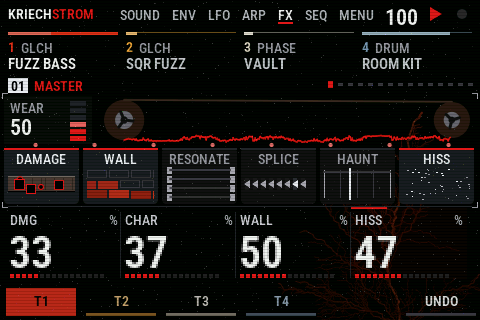
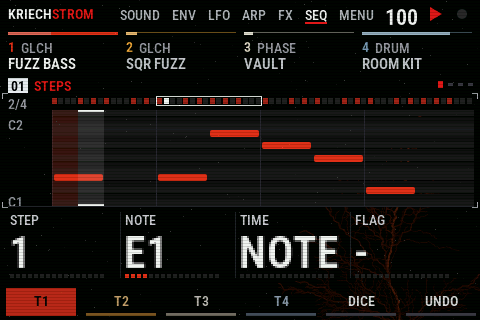
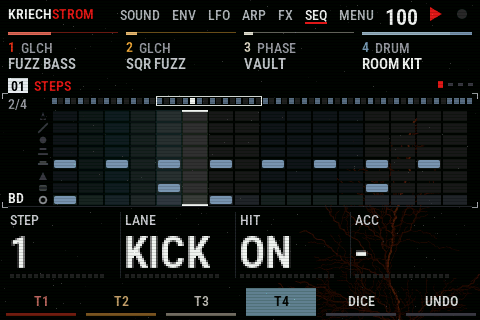
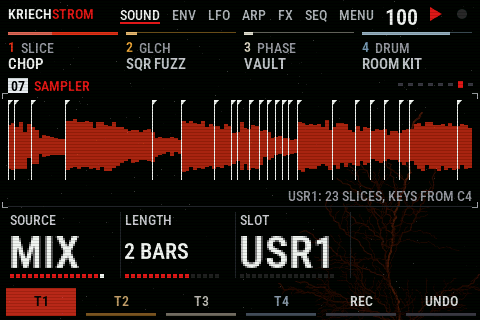
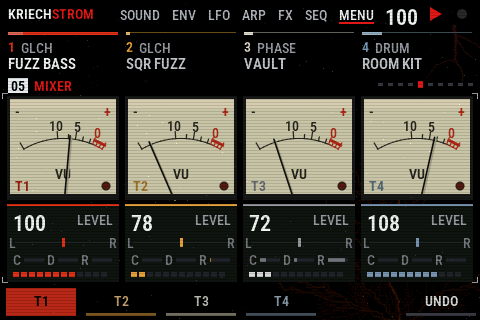
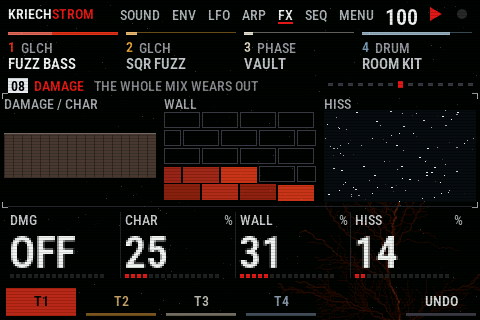
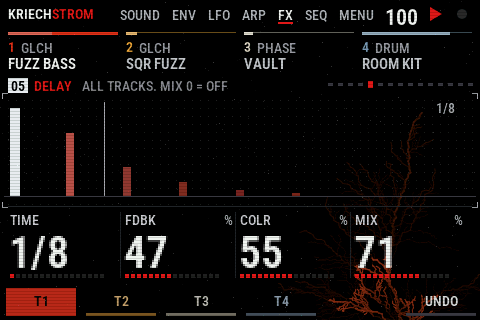
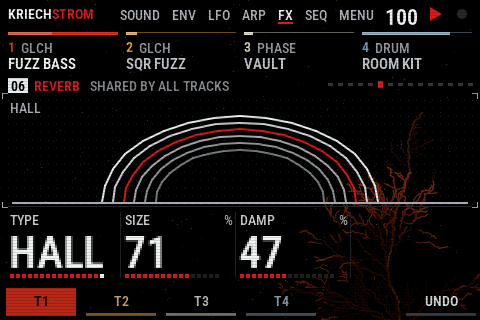
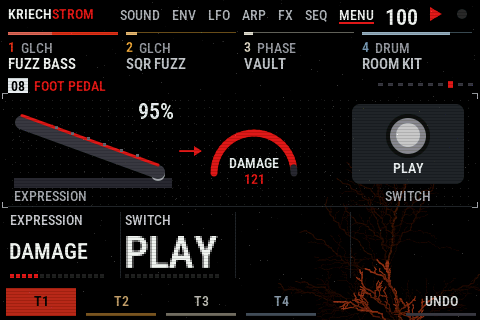
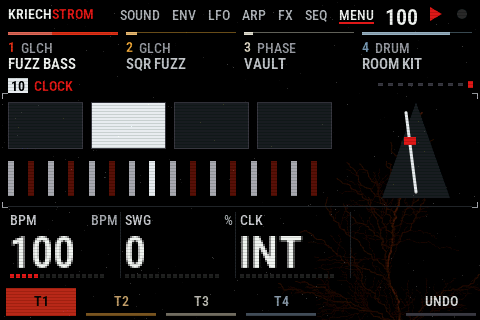
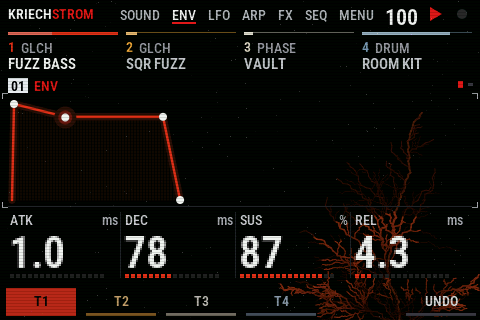
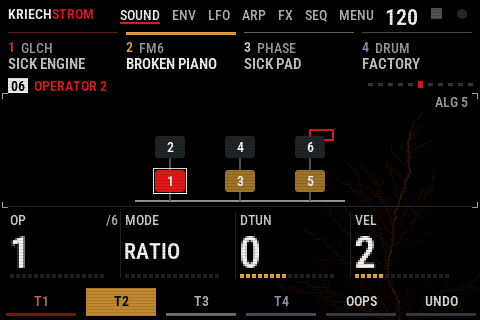
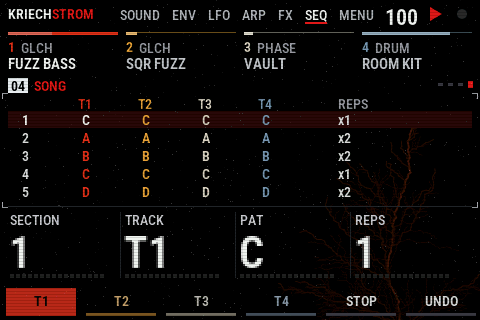
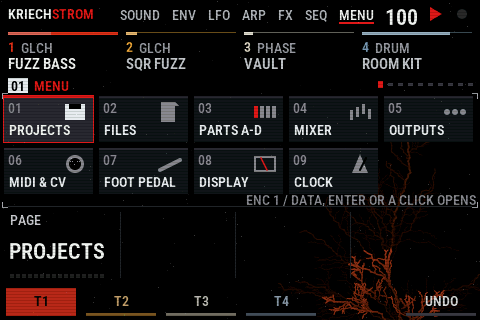
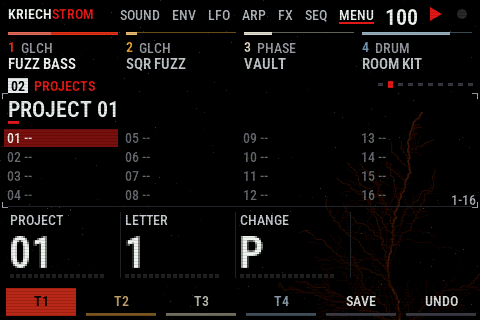
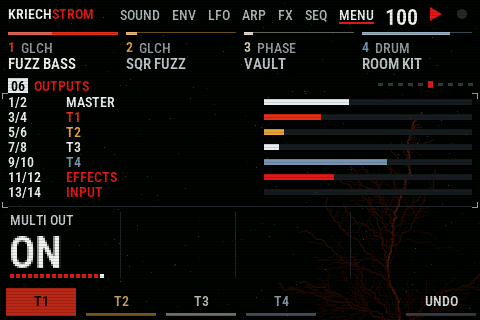
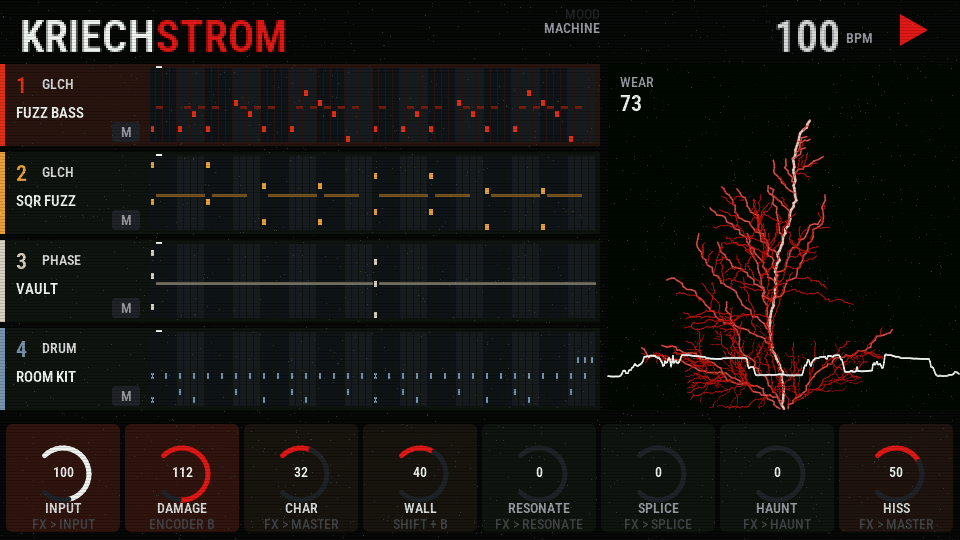
The stage, a second picture at 960 x 540: all four patterns with their cursors, the discharge over the master's scope, the master's chain on knobs. Steps and knobs work with the mouse.
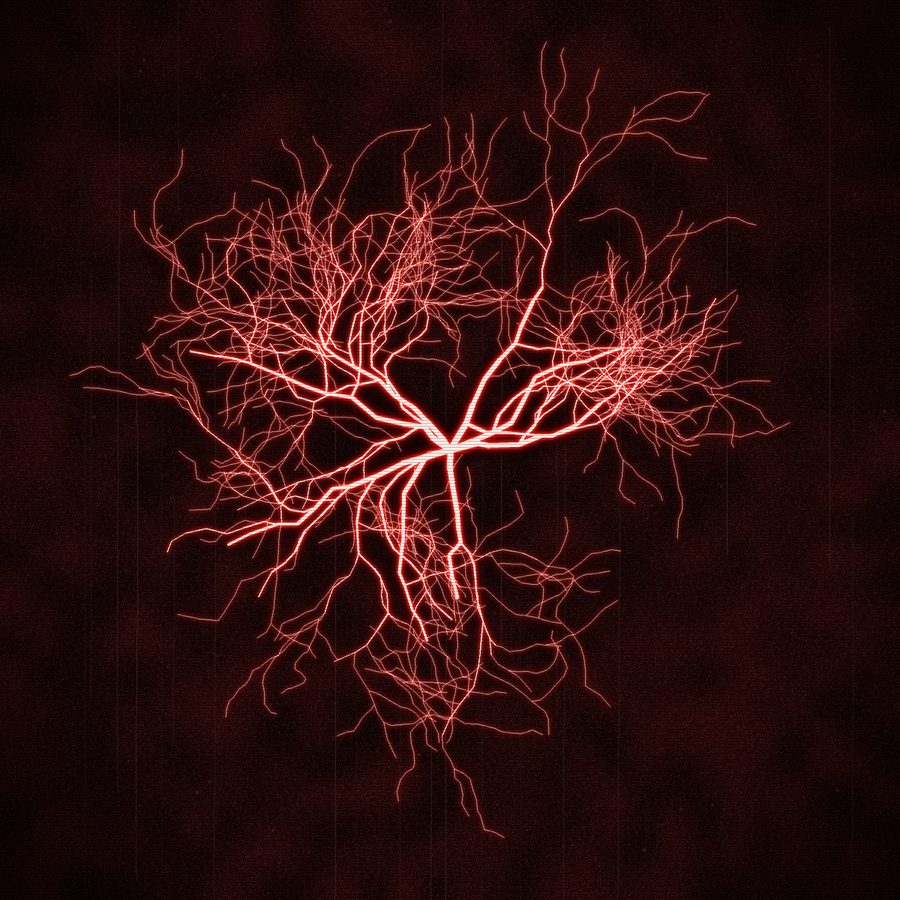
Kriechstrom is German for creepage current: the leakage across worn insulation that leaves a branching mark like this one, a Lichtenberg figure. On the VIBE it grows behind every page as the master wears the mix out.
What the VIBE adds
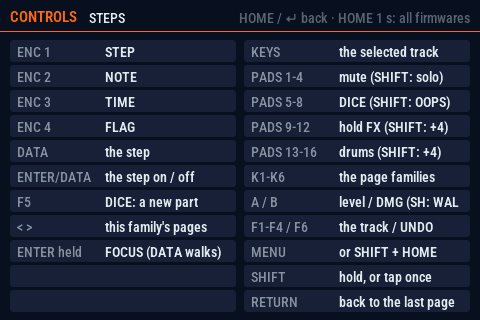
- The big display. Pages for SOUND, ENV, LFO, ARP, FX and SEQ, the four values on encoders 1-4 in big type, the four tracks always on top; a piano roll or an eight-lane drum grid, the whole pattern above it; SONG, AUTOMATION, FM6's algorithm, needle meters, tape reels on the master. HOME shows what every control does on the page you are on.
- Pedalboards. The FM-1 has one pedal a track. Here each track has three in a row, the input three more and the whole mix two, any of KRIECHSTROM's thirteen (FUZZ, MUFF, SMASH, DAMG, INFCT ..), run by the FM-1's own code. Each shows on its window what it does to a wave, live; DATA, F5 or a tap picks the pedal the knobs turn.
- A sampler. The input or the whole mix, recorded for 1, 2 or 4 bars from the next bar into USR1-3; a track plays it as SLICE, cut where its hits are, on the keys and the steps. Kept between sessions.
- An audio input. A guitar, a voice or a drum machine into the mix and through the whole master, with DRIVE, sends and its pedals; a GATE that a track's notes open (the drums chop the guitar); the input instead of a track as INFECT's source: a voice talks through the pad with VOX.
- Pads and controllers. Mutes and DICE per track, hold effects (1/16 repeat, tape stop, freeze, gate), four drum lanes with velocity. On SEQ the pads are the 16 steps; a Launchpad's 64 pads are all 64. A foot pedal: the expression pedal is a hand on DAMAGE, WALL or the level, the switch plays, DICEs, stops the tape or freezes; on its page both can be dragged and clicked.
- Projects and outputs. PROJECTS keeps 32 whole projects (the music, the four slots, the pedals, the samples) and moves them in and out as .kxp files, or by dropping one on the plugin. In a DAW the plugin can give each track its own output (OUT 3-10), the effects and the input theirs: record the parts on their own.
- MIDI out, CV, DAW. Every track's notes on its own channel, the clock (24 PPQ, START and STOP), one track on CV and gate. In a DAW: the mixer, sounds, envelopes, sends and the master's effects as parameters, the DAW's transport and tempo; VIBE FM Link shows the page and the four knobs on the controller.
Cheat sheet
HOME on the device shows the same for the page you are on. Encoders 1-4 always turn the four values above F1-F4; < > step through a family's pages, its key (SOUND .. SEQ) again does the same.
Everywhere
| keys | play the selected track |
| pads 1-4 | mute T1-T4 (SHIFT: solo; again: all back) |
| pads 5-8 | DICE: a new part for that track (SHIFT: OOPS on it); on MASTER: DAMAGE, WALL, SPLICE, HAUNT on and off; on a pedalboard: pedal 1-3 bypassed, 4 all |
| pads 9-12 | hold: 1/16 repeat, tape stop, freeze, gate (SHIFT: roll, reverb throw, echo throw, filter) |
| pads 13-16 | KICK SNARE CLAP HAT, with velocity (SHIFT: the other four lanes) |
| A / B | track level / DAMAGE (SHIFT + B: WALL) |
| DATA | the page's own knob: on SOUND the sounds (SHIFT: engine); on a list (PROJECTS, FILES, PARTS, MY SOUNDS, SONG, AUTOMATION, MOD, MENU) the list; on SEQ the step; on a pedalboard the pedal; on MIXER the selected track's level; on every other page the card marked DATA (the one last turned; a click on DATA, ENTER, moves to the next) |
| F1-F4 / F5 / F6 | select a track / the page's action / UNDO |
| SHIFT | hold, or tap: it stays on for the next control; the pads' second layer shows, each pad named |
| ENTER held | FOCUS: DATA walks the screen, ENTER presses |
| PLAY STOP REC | transport; REC records the selected track's notes |
| HOME / MENU | this page's controls and how its effect goes on and off / every page of MENU as a tile |
| RETURN (the ↵ key) | back to the page before, step by step |
| the Playground and the plugin | their panels have no ENTER: a click on the DATA knob (not turned) is ENTER. The plugin's Rack view has no MENU either: SHIFT + HOME opens it, or a click on MENU at the top of the display |
| mouse (plugin, browser) | click what you see: a family's tab, a track, a page's dot, a step, a pedal, a sound of the list, a master effect's tile (its page), a slot, a project, a wear; the logo is HOME. Dragging up or down anywhere in one of the four columns turns that column's knob (the host's layout), as the card at its foot shows |
SOUND
| SOUND | the sound by name, its spectrum; DATA the sounds |
| EDIT 1, 2 | the engine's eight values |
| FILTER / LANES / SLICES | ANALOG's filter / DRUM's lane levels / SLICE's slices |
| OPERATOR, OP ENV | FM6: its algorithm, each operator |
| VOICE 1-3 | voices, glide, detune, pan, spread, aftertouch |
| SAMPLER | SOURCE (INPUT, MIX), LENGTH, SLOT; F5 REC from the next bar |
| MY SOUNDS | F5 save (SHIFT: erase), ENTER load |
| F5 | OOPS: a few values at random |
ENV LFO ARP
| ENV | ATK DEC SUS REL; a dot runs along it while a key is held |
| ENV DEST | to the filter, the pitch, the shape; SYNC |
| LFO, LFO 2 | RATE WAVE PHASE FADE; SYNC TRIG POL |
| LFO DEST, MOD | pitch, filter, shape, level; four mod slots, ENC 1 picks the slot |
| ARP, ARP 2 | MODE RATE OCT GATE; SWING CHANCE HOLD ORDER |
| SCL, CHORD | root, scale, quantize, transpose; chord keys |
FX
| MASTER | DMG CHAR WALL HISS: the whole mix wears |
| PEDALS | the track's three pedals: ENC 1 type (SHIFT: MIX), 2-4 its knobs; DATA, F5 or a tap picks the pedal |
| FX, SLICER | the track's DST CHO DLY REV sends; the slicer |
| DLY REVERB CHORUS | the shared effects |
| DAMAGE RESONATE SPLICE HAUNT | the master's effects, one page each |
| INPUT, INPUT 2 | LEVEL DRIVE GATE FEEDS; PAN and sends; F5 LINE, MIC, HI-Z |
| INPUT / MASTER PEDALS | three pedals on the input, two on the whole mix |
SEQ
| STEPS | STEP NOTE TIME FLAG (drums: STEP LANE HIT ACC); the pads are the steps, DATA the cursor, ENTER the step on or off, a click on the grid too |
| DETAIL | the step's CHANCE RATCH NUDGE VEL; DATA the step |
| AUTOMATION | the locks and events; ENTER the row's action |
| SONG | SECTION TRACK PAT REPS; F5 plays the song |
| F5 | DICE (SHIFT: the next MOOD for DICE) |
MENU
| MENU | every page of MENU as a tile: ENC 1 or DATA picks, ENTER or a click opens; SHIFT + MENU goes straight to PROJECTS |
| MIXER | ENC 1-4 the levels of T1-T4 (SHIFT: pan) |
| PARTS A-D | the four parts SONG chains: ENC 1 the part, ENTER load (SHIFT: the demo), F5 save (SHIFT: new) |
| PROJECTS | 32 whole projects (the music, slots A-D, pedals, samples): ENC 1 which, ENC 2 / 3 its name's letter, F5 save here (SHIFT: export as a .kxp file), ENTER twice load (SHIFT: delete) |
| PROJECT FILES | the .kxp files in VIBE FM/kriechstrom: ENC 1 which, ENTER import, F5 look again (the browser: pick a folder); or drop a .kxp on the plugin |
| MIDI OUT & CV | MIDI OUT, CHANNEL, CLOCK, CV TRACK |
| OUTPUTS | MULTI OUT: with more outputs in the DAW, T1-T4 on OUT 3-10, the effects on 11/12, the input on 13/14. They come before the master's wear (DAMAGE, WALL, HISS work on the sum): record OUT 1/2 as the finished sound and the parts to add to it; for a clean multitrack, turn the master's effects off first |
| FOOT PEDAL | what the expression pedal turns (DAMAGE, WALL, LEVEL) and what the switch does (PLAY, DICE, STOP, FREEZE); drag the pedal, click the switch |
| DISPLAY | SCREEN WEAR: OFF, LOW, FULL, the three shown side by side; LIGHTNING: the live discharges behind the pages on or off |
| CLOCK | BPM, SWING, the clock's source |
The same KRIECHSTROM
The sound is the FM-1 firmware's code as it is: four tracks, the GLCH engine and the other Felucca engines, six drum kits of its own, a sequencer with locks, conditions and ratchets, DICE in eight moods, OOPS, INFECT, RESONATE, SPLICE and HAUNT. At 44.1 kHz the VIBE plays exactly what the FM-1 plays, sample for sample. The sounds and the effects are described in the FM-1's manual.
KRIECHSTROM for the M-VAVE FM-1 is its own firmware, installed from the browser: xforsa.github.io/kriechstrom.
Built on
KRIECHSTROM for VIBE FM is free software (GPL-3.0). Inside it runs the code of KRIECHSTROM for the FM-1, which is built on Felucca by Leo Kuroshita (Hügelton Instruments), with parts of Glitchbox by erikdevos. Built with the VIBE FM SDK. The source, the credits and the licences are on GitHub.